
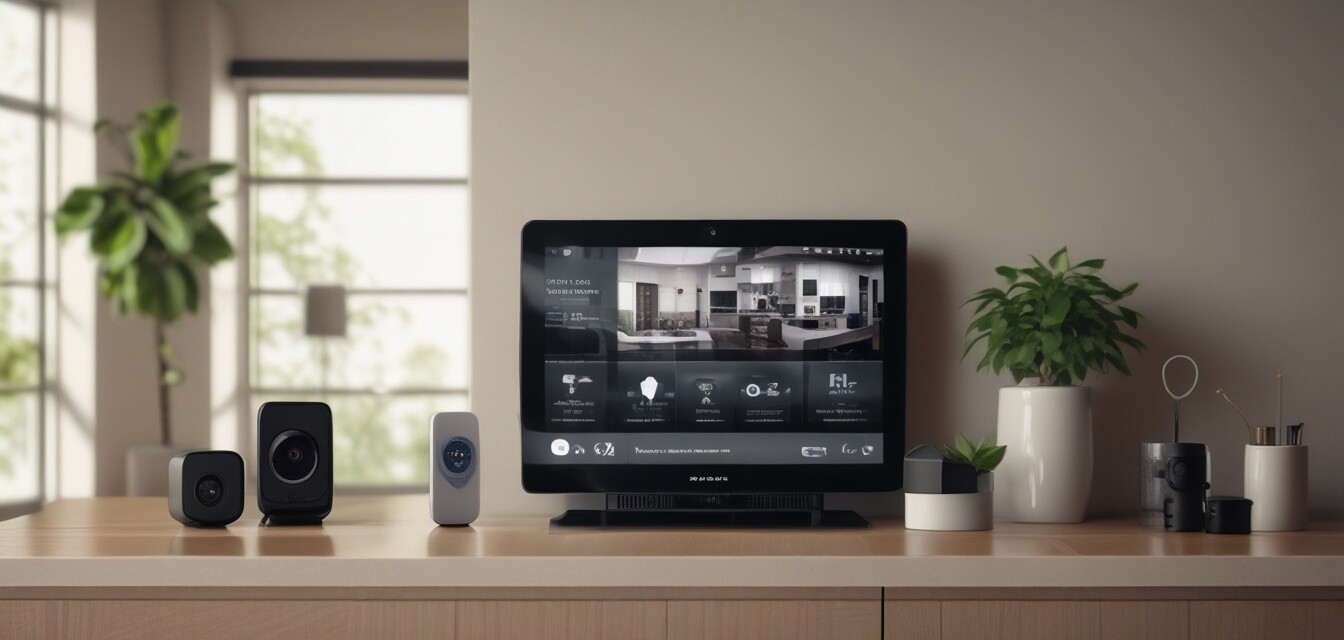
Setting Up Your Smart Home Security System: A Beginner's Guide
Key Takeaways
- Smart home security systems enhance your home's safety and convenience.
- Start with essential components: cameras, locks, and sensors.
- Choose products that are compatible with your existing smart home devices.
- Installing is often easy and can be completed with basic tools.
- Consider subscription services for advanced features or monitoring.
Setting up a smart home security system can seem daunting, but it's easier than you think. In this comprehensive guide, we provide step-by-step instructions on how to create a secure environment in your home with innovative technology in 2026.
Understanding Smart Home Security
Smart home security systems integrate various devices to provide a comprehensive security solution. They can include smart locks, surveillance cameras, motion detectors, and alarm systems. Here’s a quick overview of the core components:
| Component | Description | Purpose |
|---|---|---|
| Smart Locks | Keyless entry systems controlled via smartphone or biometrics. | Secure entry points without traditional keys. |
| Security Cameras | Live streaming and recording capabilities, often with motion detection. | Monitor your property and deter intruders. |
| Motion Sensors | Devices that detect movement in specified areas. | Trigger alarms and alerts when unauthorized movement is detected. |
| Alarms | Audible alerts for emergencies and unauthorized access. | Alert residents and deter intruders. |
Essential Products for Your Smart Home Security System
1. Smart Locks
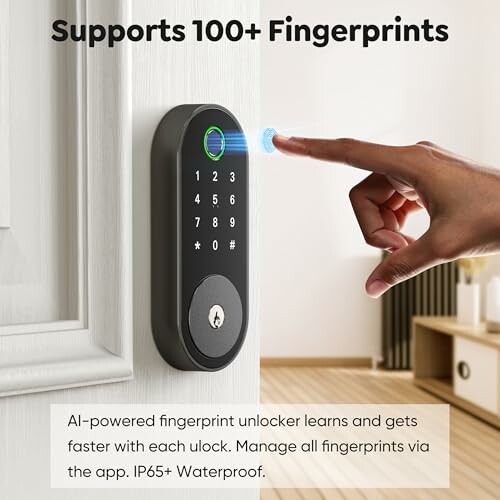
One of the first steps to securing your home is installing smart locks. A great choice is the Fingerprint Smart Deadbolt with Keypad from Sifely. This lock offers multiple unlocking methods, including biometric access.
 Top Choice
Fingerprint Smart Deadbolt with Keypad
A versatile solution that fits most doors, offering multiple unlocking options for convenience and enhanced security.
Learn More2. Security Cameras
Investing in security cameras allows you to monitor your home remotely. Look for models that offer HD video, night vision, and smartphone integration.
3. Motion Sensors
By installing motion sensors, you can receive alerts when movement is detected around your home. They can easily integrate with your smart home system.
Step-by-Step Installation Guide
Step 1: Planning Your Layout
Identify the entry points and vulnerable areas around your property. Consider the following:
- Front and back doors
- Windows
- Garages
- Driveways and pathways
Step 2: Install Smart Locks
Follow the manufacturer’s instructions to replace your existing deadbolt with the new smart lock. Ensure that the lock is tight and secure. Most smart locks can be installed with just a screwdriver.
Step 3: Set Up Security Cameras
Position cameras at your entry points for maximum coverage. Adjust the cameras to avoid creating blind spots. Most cameras come with a mobile app for easy setup and monitoring.
Step 4: Configure Motion Sensors
Install motion sensors in strategic locations. Create zones and customize notification settings via your app to only alert you on relevant activity.
Choosing a Smart Home Platform
Picking the right platform is crucial for creating an integrated experience. Consider platforms like SmartThings, Apple HomeKit, or Google Home to manage your devices easily.
Tips for Optimizing Your Security Setup
Beginner's Tips
- Regularly update the firmware of your devices to patch security vulnerabilities.
- Use strong, unique passwords for each device and platform.
- Ensure your Wi-Fi network is secured with a firewall and a strong password.
- Consider using a 2-factor authentication method for added security.
- Regularly review camera footage and logs to ensure everything is functioning correctly.
Advanced Features to Consider
For comprehensive security, consider subscribing to a monitoring service that can alert authorities in case of emergencies. Look for systems with:
- 24/7 monitoring services
- Video storage options
- Integration with emergency services
Conclusion
Implementing a smart home security system isn't as complicated as it may seem. With the right setup, you can ensure complete peace of mind while enhancing the convenience of your home. Don't hesitate to explore devices widely available in the smart home category, and remember to keep innovating and upgrading your system as new technology emerges.
Explore More
For further reading on smart home technology, check out our guides on Smart Home Devices and Buying Guides for tips and recommendations.