

How to Maintain Your Smart Home Devices for Longevity
Key Takeaways
- Regularly update device firmware and software for security and performance.
- Ensure proper placement for optimal performance and signal strength.
- Clean devices to prevent dust buildup and maintain aesthetic appeal.
- Monitor battery health and replace or recharge as needed.
- Utilize troubleshooting tips to quickly resolve common issues.
With the rapid advancement of technology, smart home devices have become staples in many households. From smart lights and thermostats to security cameras and speakers, these gadgets enhance our lifestyles by providing convenience and automation. To ensure your devices function optimally and last longer, it’s essential to know how to maintain them properly. This guide will walk you through effective tips on maintaining and troubleshooting your smart home gadgets to ensure longevity and performance. Let’s dive in!
1. Keep Software and Firmware Up to Date
One of the most crucial steps in maintaining your smart home devices is keeping their software and firmware updated. Manufacturers regularly release updates that fix bugs, improve performance, and enhance security features.
- Check Updates Frequently: Set a reminder every few months to check for updates.
- Enable Automatic Updates: Many devices have the option to enable automatic updates, so you don’t have to worry about it.
2. Optimal Placement of Devices
The placement of your smart devices can significantly affect their performance. Here are some tips for optimal placement:
| Device Type | Ideal Placement |
|---|---|
| Smart Lights | In areas where light is needed, such as kitchens and hallways. |
| Smart Speakers | Central locations to ensure optimal sound distribution. |
| Security Cameras | High locations with a clear view of entry points. |
| Smart Thermostats | In central areas away from heat sources for accurate readings. |
3. Regular Cleaning of Devices
Like any other appliance, smart home gadgets can accumulate dust and grime, affecting their functionality and aesthetics. Here’s how to effectively clean them:
- Dust Regularly: Use a soft cloth or microfiber cloth to dust your devices.
- Avoid Harsh Chemicals: Use a gentle cleaner or just water. Harsh chemicals can damage the device.
- Keep Sensor Areas Clear: Make sure motion sensors and cameras are free from obstructions.
4. Monitor Battery Health
For wireless devices, keeping an eye on battery health is essential. Here are some tips:
- Check Battery Levels: Regularly check the battery levels of devices that require charging or battery replacements.
- Learn Charging Patterns: Understand how long devices take to charge and how often they need to be charged.
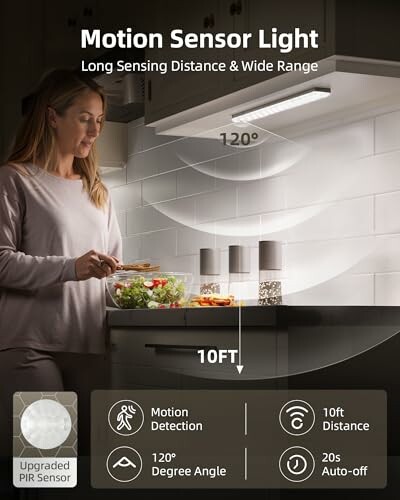 Top Choice
EZVALO 6-Pack Under Cabinet Lighting
Rechargeable LED lights that enhance kitchen visibility, perfect for convenient handling and efficiency.
Learn More5. Troubleshooting Common Issues
Even the best devices can encounter problems. Knowing how to troubleshoot can save you time and frustration:
- Internet Connectivity: Ensure your router is functioning and within range of the device if it loses connection.
- Factory Reset: If problems persist, a factory reset can help restore the device to its original settings.
- Consult the Manual: Refer to the user manual or manufacturer's website for specific troubleshooting steps.
Conclusion
Maintaining your smart home devices doesn’t have to be a daunting task. By regularly updating software, placing devices optimally, cleaning them, monitoring their battery health, and knowing how to troubleshoot common issues, you can ensure that your gadgets will continue serving you well for years to come. For more informative articles, check out our guides on how to articles.
Tips for Beginners
- Start slow with a few essential devices.
- Invest in a good hub for easier management of devices.
- Read product reviews and guides to make informed purchases.
- Keep track of warranties and support information for devices.